
How I Wrote an SEO Optimised Blog Post from Scratch in 2026: My Complete Process
Learn how I write an SEO optimized blog post from scratch in 2026, including keyword research, search intent, content structure, internal links, E-E-A-T, and AI search optimization.
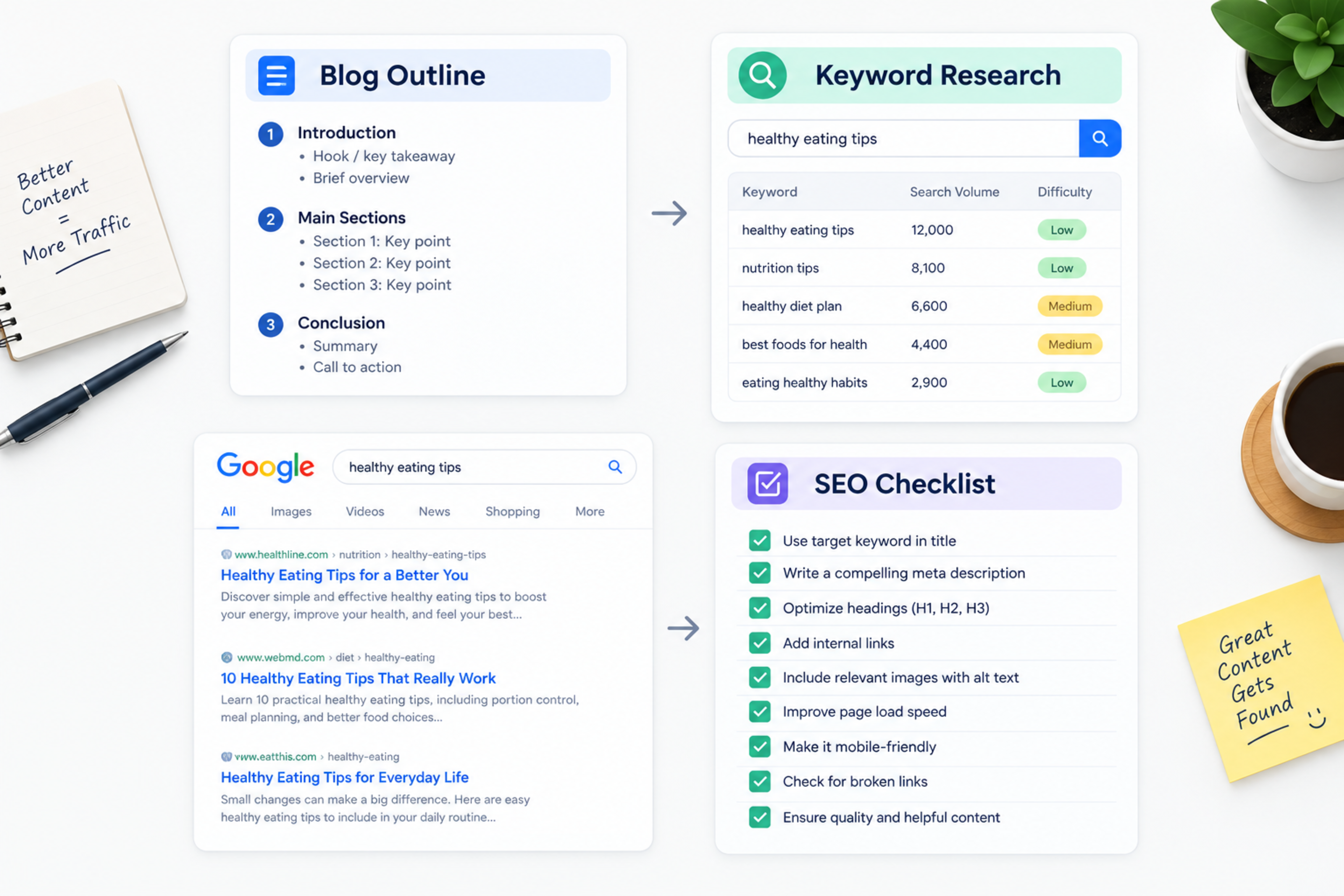
How To Wrote an SEO Optimized Blog Post from Scratch in 2026: Complete Process
Writing an SEO optimized blog post is no longer only about adding keywords to an article. In 2026, a blog post needs to match search intent, answer the reader’s question clearly, demonstrate real experience, and make it easy for both Google and AI search systems to understand the content.
In this article, I will show you exactly how I write an SEO-friendly blog post from scratch. I will use a real example topic, explain how I choose keywords, analyze search intent, create an outline, write content, add internal and external links, optimize metadata, and prepare the article for AI-powered search.
By the end, you will have a repeatable process you can use for your own blog.
What is an SEO optimized blog post?
An SEO optimized blog post is content created to help people find useful information through search engines while also supporting a business goal.
It is not an article stuffed with keywords. A good SEO blog post answers a specific question better than competing pages, uses a clear structure, and gives readers a logical next step.
For example, if someone searches for “how to improve Core Web Vitals,” they do not want a general explanation of website speed. They want to know what Core Web Vitals are, which metrics matter, what scores to target, and how to fix common problems.
A strong SEO blog post does four things:
Matches what people are actually searching for
Answers the question clearly and completely
Is easy to read and scan
Helps the reader take a relevant next step
Why SEO blog writing is different in 2026
SEO writing has changed because search is no longer limited to a list of blue links. Google AI Overviews, ChatGPT, Perplexity, and other AI tools can summaries information directly for users.
This means a blog post must be useful for two audiences:
Human readers, who want clear, trustworthy answers
AI systems, which need structured, accurate content they can understand and cite
In 2026, the best SEO content is written for people first, but structured so machines can easily extract the main answer.
That means using:
Clear headings
Short paragraphs
Direct answers
Examples
Tables
Lists
FAQs
Internal links
Trusted external sources
Real author expertise
If your content is vague, poorly structured, or written only to target keywords, it becomes harder for both readers and AI systems to trust.
Step 1: Choose a topic with search demand
I never start writing by opening a blank page. I start by choosing a topic that people are already searching for.
A good blog topic should pass four checks:
People search for it
It matches your service or expertise
It can attract the right audience
You can add original value
For this article, I chose the topic:
How to write an SEO optimized blog post
This topic works because business owners, marketers, and content writers actively search for it. It also matches Global IT Services’ SEO and content services.
How to find blog topic ideas
Use these free and simple methods:
Google autocomplete
Google People Also Ask
Google’s related searches
Competitor blog pages
Customer questions from email or support
Sales-call questions
Reddit, Quora, and LinkedIn discussions
Keyword research tools
Your own website analytics
For example, if you run a web development company, useful topic ideas may include:
Website development cost in Nepal
Next.js vs WordPress
Technical SEO checklist
Core Web Vitals guide
AI automation for small business
How to hire a software development company
These topics attract potential clients because they connect directly to services.
Step 2: Find the primary keyword
Every blog post should have one primary keyword. This is the main search term the article should rank for.
For this article, my primary keyword is:
how to write an SEO optimized blog post
The primary keyword should appear naturally in:
Blog title
H1 heading
URL slug
Meta title
Meta description
Introduction
At least one H2 section
Body content
Do not force the exact phrase into every paragraph. Use it where it sounds natural.
Primary keyword examples
Blog topic | Primary keyword |
|---|---|
Technical SEO guide | technical SEO checklist |
Framework comparison | |
Local pricing guide | |
AI automation guide | AI automation for small business |
Security guide | WordPress malware removal |
This article | how to write an SEO optimized blog post |
Step 3: Identify secondary and semantic keywords
After choosing the primary keyword, I collect related keywords. These help search engines understand the full topic.
For this article, my secondary and semantic keywords include:
SEO friendly blog post
SEO content writing
blog SEO checklist
how to write a blog post that ranks
keyword research for blog
search intent SEO
blog post outline
internal linking SEO
meta title and meta description
E-E-A-T SEO
AI search optimization
semantic SEO
featured snippets
AI Overviews
These are not keywords to repeat mechanically. They are related ideas that should appear naturally because they are part of the same subject.
For example, an article about technical SEO should naturally mention:
Crawlability
Indexing
XML sitemap
Canonical tags
Core Web Vitals
Structured data
Internal links
Google Search Console
If those terms are missing, the article may feel incomplete to both readers and search engines.
Step 4: Understand search intent
Search intent means the reason behind a search. Before writing, I always ask: What does the searcher actually want?
There are four main types of search intent:
Intent | What the user wants | Example search |
|---|---|---|
Informational | Learn something | |
Commercial | Compare options | |
Transactional | Buy or hire | |
Navigational | Find a specific website | Google Search Console login |
For this article, the intent is mostly informational with commercial potential. Readers want to learn how to write an SEO blog post, but some may later need SEO content services.
How to identify search intent
Search your primary keyword on Google and study the first page.
Ask:
Are the results guides, lists, videos, or product pages?
What format do they use?
What questions do they answer?
What do they miss?
Can I make the content more practical?
For “how to write an SEO optimized blog post,” most results are step-by-step guides. That tells me the article should be a practical process, not a short opinion post.
Step 5: Analyze the top-ranking pages
I do not copy competing articles. I study them to find gaps.
When I reviewed top-ranking pages for this topic, I noticed they commonly covered:
Keyword research
Search intent
Content structure
Readability
Internal and external links
Meta tags
E-E-A-T
AI search visibility
These are important topics, so my article needs to cover them too.
But I also looked for what they missed:
A complete real example from topic selection to publishing
A practical CMS checklist
A clear internal-linking plan
A simple way to prepare content for AI Overviews
Local business examples
A repeatable writing workflow
That became my opportunity.
How to analyze competitors properly
For each top-ranking page, note:
The main keyword they target
Their H1 and title
Their main H2 sections
Questions they answer
Format they use
Internal links they include
External sources they cite
What they explain well
What they explain poorly
What they leave out
Then create a better version—not a longer copy.
Step 6: Create a content outline
A blog post without an outline often becomes unfocused. I always create an outline before writing.
For this article, my outline looks like this:
What is an SEO optimized blog post?
Why SEO blog writing is different in 2026
Choose a topic with search demand
Find the primary keyword
Identify secondary and semantic keywords
Understand search intent
Analyze top-ranking pages
Create a content outline
Write an answer-first introduction
Structure content with H2 and H3 headings
Use semantic keywords naturally
Add tables, lists, and examples
Add internal links
Add external links
Optimize meta title, description, and URL
Optimize images and schema
Improve E-E-A-T
Prepare content for AI Overviews
Edit and publish
Track performance and update
This structure ensures the article covers the complete process.
Step 7: Write an answer-first introduction
The introduction should do three things:
Confirm the reader is in the right place
Define the main topic
Explain what they will learn
I use the primary keyword naturally in the first paragraph.
For this article, the introduction starts with:
Writing an SEO optimized blog post is no longer only about adding keywords to an article. In 2026, a blog post needs to match search intent, answer the reader’s question clearly, demonstrate real experience, and make it easy for both Google and AI search systems to understand the content.
This is clear, direct, and useful.
Introduction formula
Use this simple formula:
State the problem or topic
Define the main answer
Explain why it matters
Tell the reader what they will learn
Avoid starting with a long, vague introduction such as:
In today’s digital world, blogging is very important for every business.
That sentence does not help the reader or search engines.
Step 8: Structure the blog with H2 and H3 headings
Headings help readers scan the article and help search engines understand its structure.
Use:
One H1: The main article title
H2: Major sections
H3: Subsections or steps
H4: Optional detailed points
For this article:
textH1: How I Wrote an SEO Optimized Blog Post from Scratch in 2026H2: What is an SEO optimized blog post?H2: Why SEO blog writing is different in 2026H2: Step 1: Choose a topic with search demandH2: Step 2: Find the primary keywordH2: Step 3: Identify secondary and semantic keywordsH2: Step 4: Understand search intentH2: Step 5: Analyze the top-ranking pagesH2: Step 6: Create a content outlineH2: Step 7: Write an answer-first introductionH2: Step 8: Structure the blog with H2 and H3 headings
Each heading should describe the content below it. Do not use headings only to change font size.
Step 9: Use semantic keywords naturally
Semantic SEO means covering the complete meaning of a topic, not repeating one keyword.
For example, if you write about Core Web Vitals, you should also explain:
LCP
INP
CLS
page speed
mobile usability
image optimization
JavaScript performance
Google Search Console
These related terms help search engines understand that your article covers the subject properly.
How to use semantic keywords
Use them in:
Headings
Examples
FAQs
Tables
Internal links
Image alt text
Meta description
But always write naturally. If a sentence sounds awkward, remove the keyword.
Step 10: Add tables, lists, and examples
Long paragraphs are hard to read. Tables, lists, and examples make content easier to scan.
Use:
Tables for comparisons
Numbered lists for steps
Bullet points for features or benefits
Checklists for audits
Examples for clarity
For example, instead of writing:
Internal links are important because they help users and search engines move through your website.
Write:
Internal links help readers and search engines discover related pages. For example, a technical SEO article can link to a Core Web Vitals guide, an SEO audit service page, and a related case study.
This is clearer and more useful.
Step 11: Add internal links
Internal links connect one page on your website to another. They help readers find related information and help search engines understand your site structure.
Every blog post should link to:
One relevant service page
Two or three related blog posts
One case study, if available
A contact or booking page, where appropriate
Use descriptive anchor text.
Good internal links
Read our technical SEO checklist.
Learn how to improve Core Web Vitals.
See how we approach custom software development in Nepal.
Explore our SEO and growth services.
Poor internal links
Click here
Read more
This article
Learn more
Descriptive anchor text gives both readers and search engines context.
Step 12: Add external links to trusted sources
External links support accuracy and credibility. Use them when you mention facts, research, official updates, or technical standards.
Good sources include:
Official tool documentation
Do not link to low-quality or unrelated websites just to add external links.
Step 13: Optimize meta title, description, and URL
Metadata helps search engines and users understand what the page is about.
Meta title
Keep the meta title around 50–60 characters.
For this article:
textHow to Write an SEO Optimized Blog Post in 2026
Meta description
Keep the meta description around 140–155 characters.
For this article:
textLearn how to write an SEO optimized blog post from scratch in 2026 with a practical process for keywords, search intent, structure, links, and AI visibility.
URL slug
Keep the URL short and descriptive.
For this article:
text/blog/how-to-write-seo-optimized-blog-post/
Avoid long URLs with unnecessary words, dates, or random numbers.
Step 14: Optimize images and schema
Images should support the content, not slow down the page.
For every image:
Use a descriptive file name
Compress the image
Use WebP or AVIF where possible
Add descriptive alt text
Set width and height
Use a CDN for faster delivery
Example image file name:
textseo-optimized-blog-post-checklist.webp
Example alt text:
textSEO optimized blog post checklist showing keyword research, search intent, headings, internal links, and AI search optimization
Schema markup
Add schema that matches the content type.
For a blog post, use:
ArticleorBlogPostingBreadcrumbListFAQPage, if you include FAQsOrganizationAuthor
Schema helps search engines understand the page structure, author, topic, and related questions.
Step 15: Improve E-E-A-T and author trust
E-E-A-T stands for:
Experience
Expertise
Authoritativeness
Trustworthiness
Google does not treat E-E-A-T as a single direct ranking score, but these signals influence how search systems assess content quality and trust.yoast+1
To improve E-E-A-T:
Use a real author name
Add an author bio
Link to LinkedIn or a professional profile
Show relevant experience
Use real examples
Cite trusted sources
Keep content updated
Avoid fake author profiles
Do not use AI-generated headshots to create false identities
For a business blog, the author should be someone who genuinely understands the subject.
Step 16: Prepare content for AI Overviews
AI search systems prefer content that is clear, structured, and easy to extract.
To prepare your blog for AI Overviews:
Answer the main question early
Use question-based H2 or H3 headings
Write short, self-contained answers
Use bullet points and tables
Add FAQs
Use clear definitions
Avoid vague introductions
Keep facts accurate and updated
Use structured data
Build topical authority with related articles
For example, instead of writing:
There are many things to consider when writing SEO content.
Write:
To write an SEO optimized blog post, choose a keyword with clear search intent, study the top-ranking pages, create a logical outline, answer the question directly, and add internal links, FAQs, and trusted sources.
That is easier for both people and AI systems to understand.
Step 17: Edit, proofread, and publish
Before publishing, I check the article for:
Grammar and spelling
Sentence clarity
Repeated ideas
Keyword stuffing
Broken links
Missing metadata
Image optimization
Heading structure
Mobile readability
Accurate facts
Clear call to action
I also read the article aloud or use a text-to-speech tool. If a sentence sounds unnatural, I rewrite it.
Pre-publish checklist
Use this checklist before clicking publish:
Primary keyword is clear
Search intent matches the article
Title includes the primary keyword
H1 includes the primary keyword
URL slug is short and descriptive
Meta title is within 60 characters
Meta description is within 160 characters
Introduction includes the primary keyword
Content uses H2 and H3 headings
Content includes examples
Content includes internal links
Content includes trusted external links
FAQs answer real questions
Images are compressed and labelled
Schema is added where relevant
Author information is complete
Call to action is clear
Content is proofread
Step 18: Track performance and update the article
Publishing is not the end. I track performance after publication.
Use Google Search Console and Google Analytics to monitor:
Impressions
Clicks
Average position
Click-through rate
Conversions
Enquiries
Top queries
Landing pages
User engagement
If a page gets impressions but few clicks, improve the title and meta description.
If it gets clicks but no enquiries, improve the content, offer, internal links, and call to action.
If rankings drop, check whether the content is still accurate, complete, and better than competing pages.
SEO blog post checklist
Use this checklist for every new article:
Choose one primary keyword
Confirm search intent
Analyze top-ranking pages
Create a content outline
Write a direct introduction
Use one H1 only
Use logical H2 and H3 headings
Include semantic keywords
Add examples and data where possible
Use tables, lists, and checklists
Add internal links
Add trusted external links
Write a meta title within 60 characters
Write a meta description within 160 characters
Use a clean URL slug
Optimize images
Add schema where relevant
Add author information
Include FAQs
Add a clear call to action
Proofread before publishing
Track performance after publishing
Common SEO writing mistakes
Avoid these mistakes:
Writing without a clear keyword
Ignoring search intent
Copying competitor articles
Keyword stuffing
Using vague headings
Writing long, unstructured paragraphs
Forgetting internal links
Using generic anchor text
Adding too many external links
Publishing thin AI-generated content
Using fake author profiles
Ignoring mobile readability
Not updating old articles
Measuring only traffic, not enquiries
How long should an SEO blog post be?
There is no perfect word count. The article should be long enough to answer the search intent completely, but not padded with repeated information.
As a general guide:
Simple definition article: 800–1,200 words
How-to guide: 1,500–2,500 words
Comparison article: 1,500–2,500 words
Complete pillar guide: 2,500–4,000 words
In-depth case study: 1,500–3,000 words
Quality, structure, and relevance matter more than word count.
How often should you publish blog posts?
Consistency matters more than publishing daily.
For many small businesses, publishing:
One high-quality article per week is strong.
Two articles per month can still work if they are detailed.
Daily publishing is not necessary if quality is low.
Focus on creating content that answers real customer questions and supports your services.
How Global IT Services can help
Global IT Services helps businesses create SEO-friendly content, improve technical SEO, build AI-ready websites, and grow organic visibility through practical content strategies.
If you want to publish blog posts that attract the right audience and generate enquiries, start with a clear keyword and content plan rather than writing random articles.
Frequently Asked Questions
How do I write an SEO optimized blog post?
Choose a primary keyword, understand search intent, analyze top-ranking pages, create a logical outline, write a direct introduction, use clear H2 and H3 headings, add internal and external links, optimize metadata, and include FAQs.
How many keywords should I use in a blog post?
Use one primary keyword and several related secondary or semantic keywords. Do not force exact-match keywords into every paragraph.
How long should an SEO blog post be?
A blog post should be long enough to answer the search intent completely. Many how-to and comparison articles work well between 1,500 and 2,500 words, while detailed pillar guides may need 2,500 to 4,000 words.
What is search intent in SEO?
Search intent is the reason behind a search. It can be informational, commercial, transactional, or navigational. Your content should match the intent behind the keyword.
How do I make my blog appear in AI Overviews?
Use clear headings, direct answers, short paragraphs, FAQs, structured data, accurate information, trusted sources, and strong topical coverage. AI systems prefer content that is easy to understand and extract.
Do internal links help SEO?
Yes. Internal links help readers discover related pages and help search engines understand your website structure and topical relationships.
How often should I update old blog posts?
Update a blog post when the information changes, rankings decline, new questions become common, or competitors publish better content. Review important articles every three to six months.
Can AI write SEO blog posts?
AI can help with research, outlines, drafts, and editing. However, a human should review facts, add real experience, verify sources, and ensure the content matches the business’s expertise.
Technical SEO & Global Growth Marketing
Data-driven search engine dominance that drives inbound revenue and organic clients.
Explore this service
Feedback & Discussion
Have questions or insights? Share your thoughts below.