
Next.js vs WordPress for Business Websites: Which Should You Choose in 2026?
Compare Next.js and WordPress for business websites in 2026. Learn which platform is better for SEO, performance, security, scalability, and long-term growth.
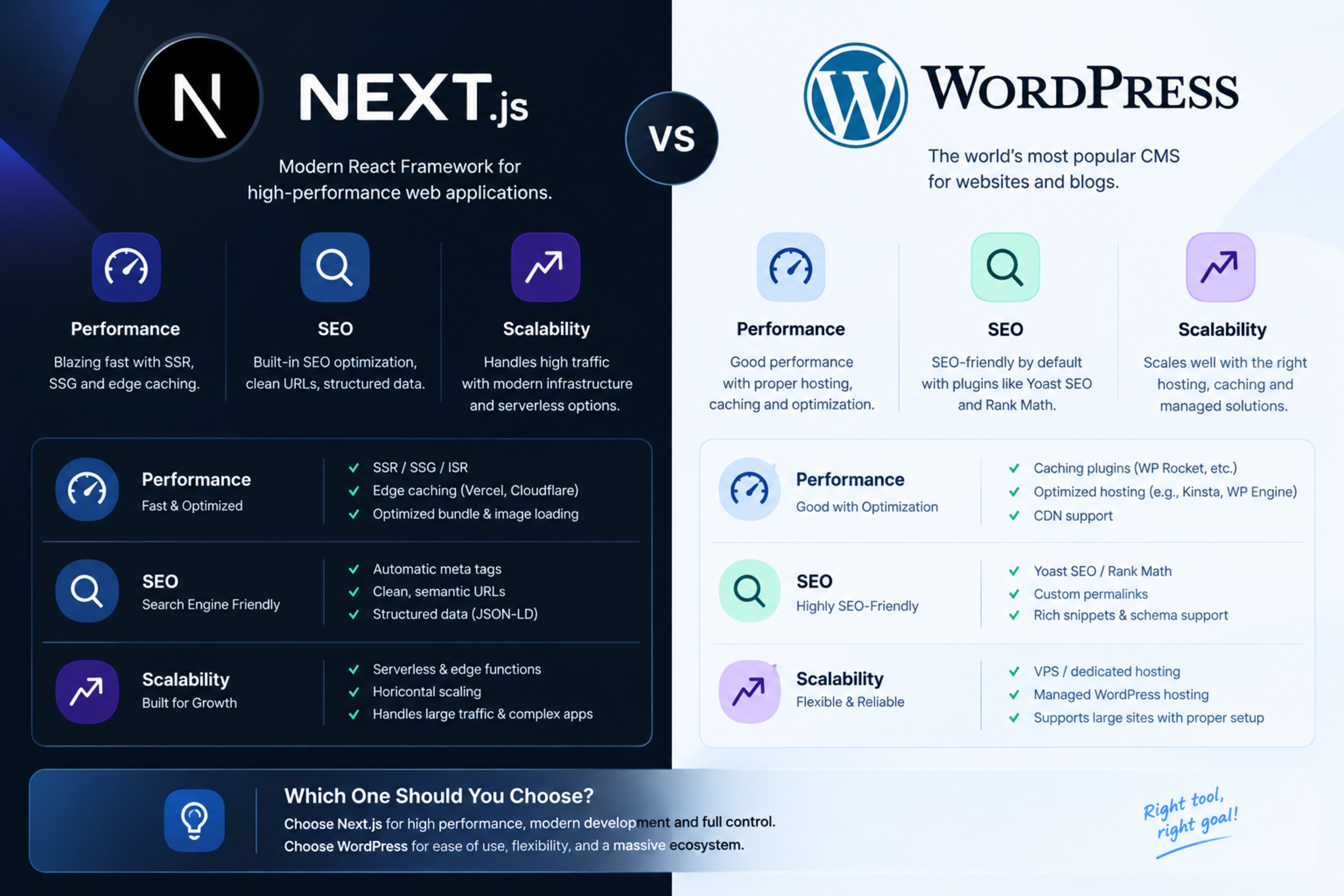
Next.js vs WordPress for Business Websites: Which Should You Choose in 2026?
Choosing between Next.js vs WordPress depends on your business goals, content workflow, technical resources, and long-term growth plans. WordPress is often the faster option to launch, while Next.js is usually stronger for custom performance, scalability, and modern web applications.
This guide compares Next.js and WordPress for business websites across SEO, speed, security, content management, development cost, and scalability. By the end, you will know which platform fits your business in 2026.
What is Next.js?
Next.js is a React-based framework used to build fast, modern websites and web applications. It supports server-side rendering, static site generation, API routes, image optimisation, and advanced performance controls.
Businesses often choose Next.js for custom portals, SaaS products, booking systems, dashboards, multilingual websites, and high-performance marketing sites. Its flexible rendering options make it especially useful when SEO, speed, and custom functionality are priorities.bravixcreative
What is WordPress?
WordPress is a content management system (CMS) that powers a large share of websites worldwide. It is popular because it is easy to launch, has thousands of themes and plugins, and allows non-technical teams to manage content quickly.
WordPress works well for blogs, local business websites, brochure sites, content-heavy publications, and small ecommerce stores. However, its performance and security depend heavily on hosting quality, theme quality, plugin choices, and ongoing maintenance.
Next.js vs WordPress: Quick comparison
Factor | Next.js | WordPress |
|---|---|---|
Best for | Custom web apps, portals, SaaS, high-performance websites | Blogs, brochure sites, content-led websites |
Ease of launch | Requires development expertise | Faster to launch with themes and plugins |
Content editing | Requires a CMS integration or custom admin | Built-in editor and media library |
Performance | Excellent when built properly | Good with optimisation, but plugin-heavy sites can slow down |
SEO control | Strong technical control | Strong with the right SEO setup |
Security | Fewer common plugin vulnerabilities | Requires regular updates and security management |
Scalability | Highly scalable | Scalable, but may need advanced hosting and optimisation |
Maintenance | Developer-led updates | Easier for non-technical teams, but needs plugin and core updates |
Cost pattern | Higher initial build cost | Lower initial cost, potentially higher ongoing maintenance |
SEO: Next.js vs WordPress
Both platforms can rank well in Google. The winner is not simply the technology; it is how well the website implements technical SEO, content strategy, performance optimisation, and authority building.
Where Next.js performs well
Next.js gives developers precise control over rendering, metadata, structured data, redirects, sitemaps, canonical tags, and page speed. Server-side rendering and static generation can make important content available quickly to search engines and AI systems.bravixcreative
This makes Next.js a strong choice when you need:
Fast Core Web Vitals
Custom technical SEO architecture
Complex service or product pages
Multilingual websites
Large-scale portals
AI-search-ready content structures
Where WordPress performs well
WordPress has mature SEO plugins, simple content publishing, and a large ecosystem of SEO tools. For a business that publishes blogs frequently and wants marketing teams to manage content without developer support, WordPress can be very effective.
WordPress can rank extremely well when the theme is lightweight, plugins are limited, caching is configured properly, and technical SEO is maintained.
SEO verdict
Choose Next.js if you need custom performance and technical SEO control. Choose WordPress if content publishing speed and non-technical management matter more than deep customisation.
Website speed and Core Web Vitals
Website speed affects user experience, conversions, and search visibility. Core Web Vitals measure loading performance, interaction responsiveness, and visual stability.
Next.js often has an advantage for performance because developers can optimise rendering, images, JavaScript bundles, caching, and third-party scripts directly in the codebase. WordPress can also be fast, but too many plugins, heavy themes, unoptimised images, and poor hosting can reduce performance.
For a business website where speed directly affects leads or sales, Next.js is often the better long-term investment.
Security and maintenance
WordPress requires regular updates for the core software, themes, and plugins. Outdated or poorly coded plugins are a common security risk.
Next.js reduces reliance on third-party plugins, but it still needs dependency updates, security patches, hosting management, and monitoring. The difference is that Next.js maintenance is usually more controlled and developer-led.
If your team does not have technical support, WordPress requires a reliable maintenance plan. If you already work with a development partner, Next.js can offer a cleaner and more predictable maintenance model.
Content management
WordPress wins for simple content management. Editors can create pages, upload images, publish blogs, and manage basic SEO settings without touching code.
Next.js does not include a built-in CMS, but it can connect to a headless CMS such as Sanity, Contentful, Strapi, or headless WordPress. This gives your team an easy editing experience while keeping the frontend fast and custom.
A headless WordPress and Next.js setup can be a strong middle ground: marketers manage content in WordPress, while Next.js delivers the public-facing website.
Development cost and timeline
WordPress usually has a lower upfront cost because themes, plugins, and existing tools reduce development time. However, custom functionality, plugin conflicts, performance fixes, and security cleanup can increase long-term costs.
Next.js usually requires a higher initial investment because the website is custom-built. In return, you get cleaner architecture, fewer plugin limitations, better performance control, and more room to scale.
Think of it this way:
WordPress: Lower upfront cost, simpler launch, ongoing plugin and maintenance needs.
Next.js: Higher upfront cost, more custom control, stronger long-term scalability.
When to choose Next.js
Choose Next.js if your business needs any of the following:
A custom customer portal or dashboard
A SaaS product or web application
Advanced booking, quoting, or membership features
High-performance marketing pages
Multilingual or multi-region websites
Strong technical SEO and Core Web Vitals
A scalable platform for future product features
AI automation and API integrations
Next.js is especially suitable for businesses that view their website as a growth platform rather than only an online brochure.
When to choose WordPress
Choose WordPress if your business needs:
A simple business website or blog
Fast content publishing by non-technical staff
A lower initial budget
A large library of existing plugins
Basic ecommerce functionality
A website that a marketing team can manage independently
WordPress remains a practical choice for many small businesses, especially when requirements are straightforward and the site is properly maintained.
Which platform is better in 2026?
There is no single winner in the Next.js vs WordPress debate.
Choose Next.js if you need a custom, fast, scalable website with advanced functionality and strong technical SEO control. Choose WordPress if you need a cost-effective, content-friendly website that your team can manage easily.
For businesses planning custom portals, automation, integrations, or long-term digital growth, Next.js is usually the stronger foundation. For content-led businesses with simple requirements, WordPress can still be the smarter and more economical option.
How Global IT Services can help
Global IT Services builds custom Next.js websites, technical SEO architectures, high-performance business portals, and AI automation solutions. We help businesses choose the right platform based on goals, budget, content needs, and growth plans.
If you are unsure whether Next.js or WordPress is right for your business, start with a website and SEO requirements review before committing to a rebuild.
Frequently Asked Questions
Is Next.js better than WordPress for SEO?
Next.js is often better for technical SEO because it gives developers more control over rendering, metadata, structured data, redirects, and performance. However, WordPress can rank just as well when it is properly optimised and maintained.
Is WordPress cheaper than Next.js?
WordPress usually costs less to launch because themes and plugins reduce development time. Next.js usually costs more upfront but can reduce long-term limitations and provide better scalability for custom business requirements.
Can I use WordPress as a CMS with Next.js?
Yes. This approach is called headless WordPress. Your team manages content in WordPress, while Next.js delivers the public-facing website with better performance and custom design.
Which platform is better for a small business website?
WordPress is often better for a simple small business website with limited functionality and a need for easy content editing. Next.js is better when the business needs custom features, high performance, or long-term scalability.
Is Next.js good for business websites?
Yes. Next.js is an excellent choice for business websites that need speed, SEO control, custom functionality, integrations, and scalability. It is particularly strong for service businesses, SaaS companies, and organisations planning digital growth.
Feedback & Discussion
Have questions or insights? Share your thoughts below.