
Technical SEO Checklist for 2026: 25 Fixes That Improve Rankings and AI Visibility
Use this practical technical SEO checklist for 2026 to fix crawlability, indexing, speed, structured data, and AI-search visibility issues on your website.
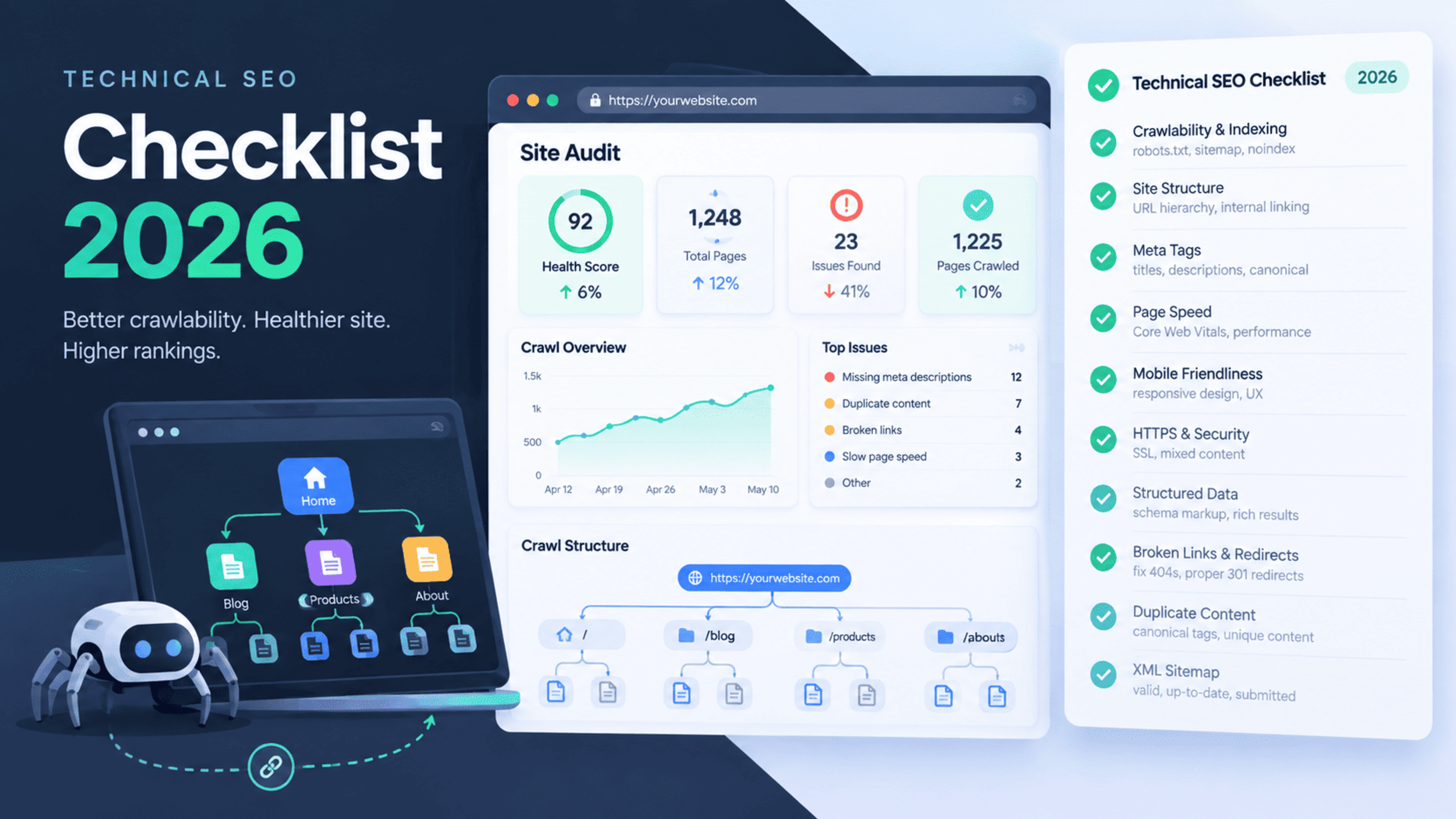
Technical SEO Checklist for 2026: 25 Fixes That Improve Rankings and AI Visibility
Technical SEO is the foundation that helps search engines crawl, understand, index, and rank your website. In 2026, it also determines how easily AI-powered search systems can extract accurate answers from your pages.
This technical SEO checklist covers 25 practical fixes for crawlability, indexing, site speed, structured data, mobile usability, security, and AI search visibility. Use it as a recurring audit framework for business websites, SaaS platforms, and custom Next.js applications.
Why technical SEO matters in 2026
Search engines still rely on strong technical foundations, but AI search has raised the standard for clarity, structure, and trust. Google and AI systems increasingly favour websites that are fast, well-structured, easy to crawl, and clearly demonstrate expertise.globalreach+2
A technically healthy website helps you in three ways:
Search engines can discover and index every important page.
Users get a faster, more stable experience on every device.
AI search systems can understand your content and cite it more confidently.
1. Check indexability
Open Google Search Console and review the Pages report. Identify pages marked as “Crawled – currently not indexed,” “Discovered – currently not indexed,” or excluded by noindex.
Fix priority pages first. Important service pages, blog posts, and location pages should be indexable, while cart pages, internal search results, thank-you pages, and duplicate URLs should usually be excluded.
2. Submit and monitor your XML sitemap
Create an XML sitemap that includes only canonical, indexable URLs. Submit it in Google Search Console and Bing Webmaster Tools.
Your sitemap should automatically update when you publish or update a blog post, service page, or case study. Avoid adding redirected, broken, noindexed, or duplicate URLs.
3. Review robots.txt carefully
Check that robots.txt is not blocking CSS, JavaScript, images, or important sections of your website. Blocking these resources can prevent search engines from rendering pages properly.
Use robots.txt to manage crawl behaviour, but use noindex or authentication to keep private pages out of search results.
4. Fix broken links
Crawl your website with a tool such as Screaming Frog, Ahrefs Site Audit, or Semrush Site Audit. Fix internal 404 errors, redirected links, and links pointing to removed pages.
Update internal links to point directly to the final live URL. This reduces crawl waste and improves user experience.
5. Create a logical URL structure
Use short, descriptive URLs that reflect the page topic.
Good examples:
/technical-seo-services//blog/technical-seo-checklist-2026//case-study/nextjs-website-redesign/
Avoid long URLs with unnecessary parameters, dates, or repeated words.
6. Use canonical tags correctly
Every important page should have a self-referencing canonical tag unless it is intentionally a duplicate. This helps search engines identify the preferred version of a page.
Check paginated pages, filtered category pages, HTTP/HTTPS versions, and URLs with tracking parameters. Incorrect canonical tags can cause valuable pages to be ignored.
7. Remove duplicate content
Duplicate content can dilute ranking signals and confuse crawlers. Common causes include printer-friendly versions, URL parameters, staging pages, tag archives, and near-identical service pages.
Consolidate thin pages where possible, use canonical tags where duplication is necessary, and write unique content for pages targeting different search intent.
8. Fix redirect chains
Redirect chains occur when one URL redirects to another, which then redirects again. These slow down crawlers and users.
Audit redirects and point old URLs directly to the final destination. Use 301 redirects for permanent moves and preserve as much link equity as possible.
9. Secure your website with HTTPS
Every page should load through HTTPS. Check for mixed-content warnings, expired SSL certificates, and internal links that still use HTTP.
HTTPS is a baseline trust and security requirement for modern websites.
10. Improve mobile usability
Test your website on real mobile devices, not only in a desktop browser. Check font size, tap targets, navigation, forms, pop-ups, and horizontal scrolling.
Google primarily uses mobile-first indexing, so the mobile version of your site must contain the same essential content, metadata, and structured data as desktop.
11. Improve Core Web Vitals
Core Web Vitals measure real-world user experience. Focus on:
LCP: Largest Contentful Paint, ideally under 2.5 seconds.
INP: Interaction to Next Paint, ideally under 200 milliseconds.
CLS: Cumulative Layout Shift, ideally under 0.1.
Improve LCP by optimising hero images, reducing server response time, and using a CDN. Improve INP by reducing JavaScript work and avoiding heavy third-party scripts. Improve CLS by setting width and height for images, ads, and embedded content.webfx
12. Optimise images
Compress images, use modern formats such as WebP or AVIF, and serve correctly sized images for each device.
Add descriptive alt text to meaningful images. For decorative images, use empty alt attributes so screen readers and crawlers can distinguish them from informative visuals.
13. Reduce JavaScript bloat
Heavy JavaScript can delay rendering, interaction, and SEO visibility. Audit third-party scripts, remove unused libraries, and load non-critical scripts asynchronously or after user interaction.
For Next.js websites, use server-side rendering or static generation for important content-heavy pages. This helps search engines and AI systems access content without relying entirely on client-side JavaScript.bravixcreative
14. Use server-side rendering where appropriate
If your website depends heavily on client-side rendering, important content may be delayed or harder to access. Use server-side rendering, static site generation, or hybrid rendering for pages that need strong organic visibility.
Next.js is particularly useful for this because it supports multiple rendering strategies within one application.bravixcreative
15. Add structured data
Implement schema markup that matches the page type. Useful schema types include:
OrganizationLocalBusinessServiceArticleorBlogPostingBreadcrumbListFAQPageProductReview
Structured data helps search engines understand entities, services, authors, and relationships on your site. It also makes content easier for AI systems to interpret.surferseo
16. Validate structured data
Use Google’s Rich Results Test and Schema.org validator after implementation. Fix required fields, invalid values, and markup that does not match visible page content.
Never add schema for content that users cannot see. Misleading markup can create trust and compliance issues.
17. Optimise internal linking
Link related pages using descriptive anchor text. For example, link from this article to your technical SEO service page, Next.js development service page, and related blog posts.
Internal links help crawlers discover pages, distribute authority, and show topical relationships. Every important page should be reachable within a few clicks from the homepage.
18. Fix orphan pages
Orphan pages have no internal links pointing to them. They may exist in the sitemap, but users and crawlers have difficulty discovering them naturally.
Add relevant links from service pages, blog posts, navigation, or resource hubs. If a page has no business purpose, remove or consolidate it.
19. Improve heading hierarchy
Use one clear H1 per page, followed by logical H2 and H3 sections. Headings should describe the content beneath them rather than being used only for visual styling.
A clean heading structure helps users scan the page and helps search engines and AI systems understand the main topics.surferseo
20. Optimise metadata at scale
Review title tags and meta descriptions across the website. Each important page should have a unique, descriptive title and a compelling meta description.
Include the primary keyword naturally, but write for humans first. Avoid duplicated titles such as “Home,” “Services,” or “Blog” without context.
21. Fix soft 404 errors
A soft 404 occurs when a page returns a 200 status but contains little useful content or tells users the page does not exist. Search engines may treat these pages as low quality.
Restore useful content, redirect the URL to a relevant page, or return a proper 404 or 410 status where appropriate.
22. Manage crawl budget
Large websites should prevent crawlers from wasting time on low-value URLs. Use canonical tags, noindex, robots.txt rules, clean faceted navigation, and internal linking to guide crawl priority.
For smaller business websites, focus on removing thin, outdated, or duplicate pages rather than over-optimising crawl budget.
23. Monitor Core Web Vitals and search performance
Set up Google Search Console, Bing Webmaster Tools, and a performance monitoring tool. Review indexing, impressions, clicks, Core Web Vitals, mobile usability, and security issues regularly.
Technical SEO is not a one-time task. Schedule a technical audit at least every quarter, and after every major redesign, migration, or platform change.
24. Prepare content for AI search
AI search systems favour clear answers, original insight, structured sections, author expertise, and consistent brand information. Make important answers easy to find near the top of relevant sections.globalreach+1
Add concise definitions, FAQs, comparison tables, step-by-step processes, and factual explanations. Use consistent business names, service descriptions, author profiles, and contact details across your website.
25. Build E-E-A-T signals
Demonstrate experience, expertise, authoritativeness, and trust throughout your website. Add author bios, team pages, case studies, client results, certifications, and clear contact information.
For technical SEO content, explain how you tested or implemented a recommendation. Real examples, screenshots, and measurable outcomes strengthen credibility.
Technical SEO audit priority list
If you have limited time, start with these fixes:
Fix indexing and crawlability issues.
Submit a clean XML sitemap.
Repair broken links and redirect chains.
Improve Core Web Vitals.
Add valid structured data.
Strengthen internal linking.
Optimise metadata and headings.
Make content easier for AI search systems to understand.
How Global IT Services can help
Global IT Services provides technical SEO, Next.js web development, website performance optimisation, and AI automation services for businesses that need measurable organic growth.
If your website has indexing problems, slow pages, poor Core Web Vitals, weak structured data, or low visibility in AI search, a technical SEO audit is the best starting point.
Frequently Asked Questions
What is a technical SEO checklist?
A technical SEO checklist is a structured list of website, server, and code-level checks that help search engines crawl, render, index, and rank a website effectively. It covers areas such as XML sitemaps, robots.txt, canonical tags, broken links, site speed, Core Web Vitals, mobile usability, HTTPS, structured data, and internal linking.
How often should I run a technical SEO audit?
Run a full technical SEO audit at least every three months. You should also run an audit after a website redesign, platform migration, major plugin or framework update, domain change, or sudden organic traffic drop.
Does technical SEO help AI search visibility?
Yes. Technical SEO helps AI search systems access, understand, and extract information from your website. Clean HTML, clear heading structure, fast loading pages, valid structured data, and authoritative content make it easier for AI-powered search tools to interpret and cite your pages.
What are the most important technical SEO factors in 2026?
The most important technical SEO factors are indexability, crawlability, Core Web Vitals, mobile usability, HTTPS security, structured data, internal linking, clean URL structure, and fast page performance. In 2026, clear content structure and E-E-A-T signals are also important for visibility in AI-driven search results.
Can Next.js improve technical SEO?
Yes. Next.js can improve technical SEO through server-side rendering, static site generation, image optimisation, fast page performance, clean routing, and better control over metadata and structured data. These features make it easier for search engines and AI systems to access important content without relying only on client-side JavaScript.
Feedback & Discussion
Have questions or insights? Share your thoughts below.