
Why Is My Website Not Ranking in the UK? 12 Reasons and Fixes
Learn why your website is not ranking in the UK. This guide explains 12 common SEO problems, from indexing and technical issues to content quality and local visibility.
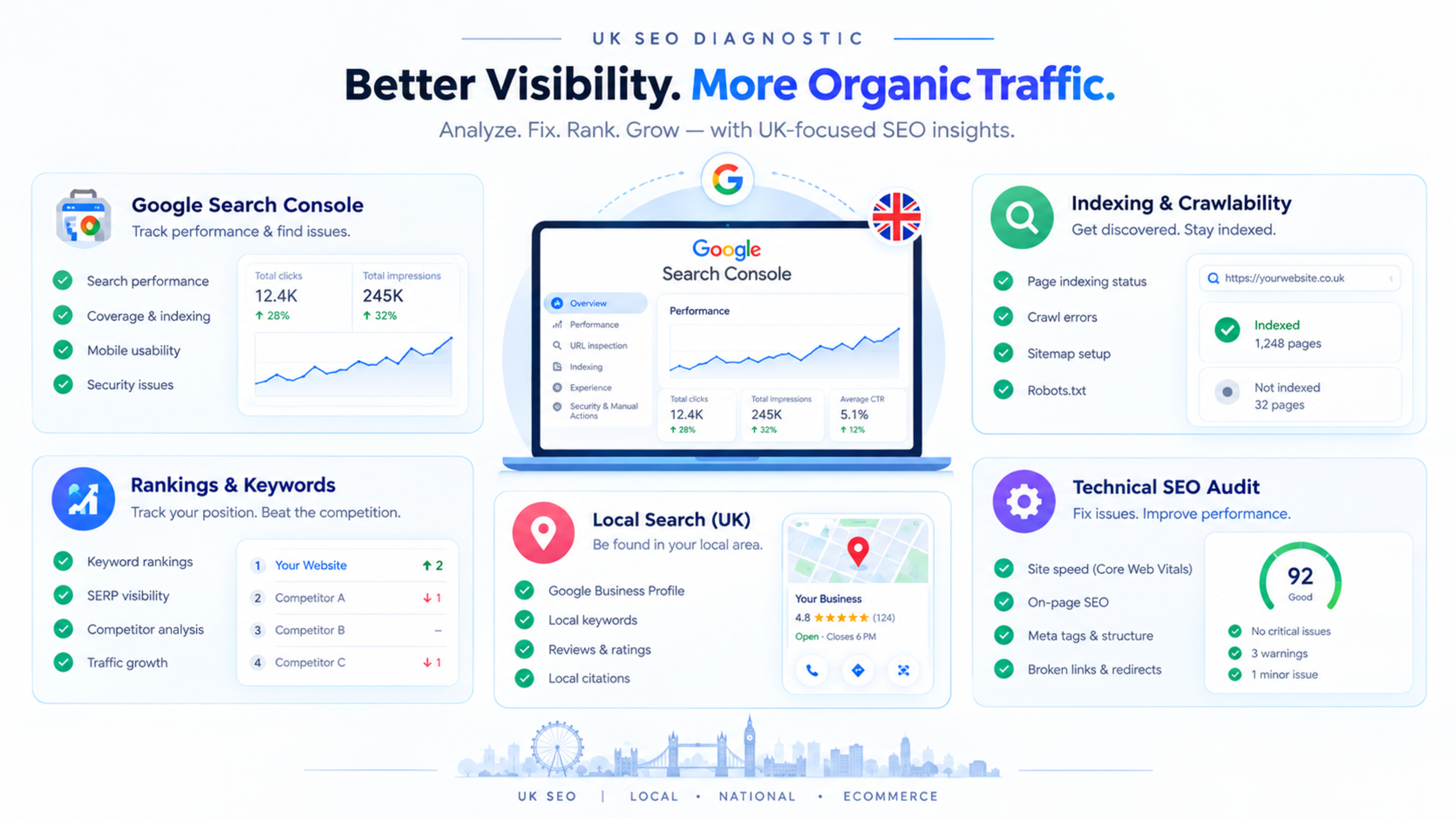
Why Is My Website Not Ranking in the UK? 12 Reasons and Fixes
If your website is not ranking in the UK, the most common reasons are indexing problems, weak technical SEO, thin content, poor local signals, low authority, or competition from stronger UK websites. Google may be able to see your site but still choose not to show it for competitive searches.
This guide explains 12 practical reasons why a website may not rank in the UK and how to fix each one. Use it as a diagnostic checklist before assuming that Google has penalised your website.
1. Google has not indexed your pages
Before a page can rank, Google must crawl and index it. If your important pages are not indexed, they cannot appear in normal search results.
Check Google Search Console and open the Pages report. Look for pages marked as:
Crawled – currently not indexed
Discovered – currently not indexed
Excluded by
noindextagAlternate page with proper canonical tag
Duplicate without user-selected canonical
How to fix it
Submit an XML sitemap containing only canonical, indexable URLs.
Remove
noindextags from important pages.Fix incorrect canonical tags.
Add internal links to important pages.
Improve thin or duplicate content.
Request indexing for priority pages after fixing issues.
For a complete process, read our technical SEO checklist for 2026.
2. Your website has technical SEO problems
Technical SEO helps Google crawl, render, and understand your website. If search engines cannot access your pages properly, rankings can suffer even when your content is good.
Common technical issues include:
Broken internal links
Redirect chains
Incorrect canonical tags
Missing XML sitemap
Poor mobile usability
Slow page speed
JavaScript-only content
Incorrect robots.txt rules
Missing structured data
How to fix it
Run a technical SEO audit using Google Search Console, Screaming Frog, or another crawler. Fix high-priority issues first: indexing, crawlability, broken links, redirects, canonical tags, and mobile usability.
If your website has lost traffic after a redesign or migration, read our organic traffic recovery case study.
3. Your content does not match UK search intent
Search intent is the reason behind a search. If your content does not match what UK users expect, Google may prefer another page.
For example, someone searching for “accountant in Manchester” expects local service pages, location details, and contact information—not a general article about accounting.
How to fix it
For each important keyword, search it on Google and study the UK results.
Ask:
Are the top results service pages, guides, comparisons, or local listings?
What questions do they answer?
Do they use UK spelling and GBP pricing?
Do they include local examples?
What information is missing?
Then improve your page so it matches the intent better.
4. Your content is thin or generic
Thin content does not provide enough value to compete. This is common when pages contain only a few paragraphs, repeated service descriptions, or AI-generated text without real expertise.
Google’s guidance focuses on helpful, reliable, people-first content. Content should show experience, answer real questions, and provide information users cannot easily find elsewhere.
How to fix it
Improve important pages by adding:
Clear explanations
Process steps
Pricing guidance
FAQs
Case studies
Client results
Original examples
Comparison tables
Internal links to related pages
For example, a page targeting “WordPress security UK” should explain common security risks, security checklist items, malware recovery steps, and when to hire a professional.
5. Your website has weak E-E-A-T signals
E-E-A-T stands for experience, expertise, authoritativeness, and trustworthiness. These signals help Google assess whether your website and content are reliable.
A website with no author information, no business details, no case studies, and no credible sources may struggle to compete—especially in competitive UK markets.
How to fix it
Add:
Real author names and bios
Author photos
LinkedIn or professional profile links
Relevant experience
Client testimonials
Case studies
Contact details
Privacy policy and terms
Accurate business information
Trusted external sources
Avoid fake author names, invented credentials, and AI-generated headshots. Google’s guidance discourages deceptive authorship practices.
6. Your website has few UK-relevant backlinks
Backlinks from relevant websites can help search engines understand that your business is trusted. If your website has very few UK-relevant links, it may struggle against established UK competitors.
How to fix it
Earn links through:
UK business directories
Local partnerships
Industry publications
Guest posts on relevant UK websites
Digital PR
Supplier or client links
Local sponsorships
Useful research or original data
UK-based LinkedIn engagement
Avoid buying low-quality links or using link farms. Focus on relevance and genuine authority.
7. Your local SEO signals are weak
If you serve customers in a specific UK city or region, local SEO is essential. A website can rank nationally for informational topics but still struggle in local map results if its local signals are weak.
How to fix it
Create and optimise a Google Business Profile. Make sure your business name, address, phone number, website, hours, services, and categories are accurate and consistent.
Also create location or service-area pages where appropriate. For example, a business serving London, Manchester, and Birmingham may need separate pages explaining its service in each area.
For a full process, read our guide on local SEO for UK service businesses.
8. Your Google Business Profile is not optimised
For local searches, your Google Business Profile can be as important as your website. An incomplete profile can reduce visibility in Google Maps and local pack results.
How to fix it
Optimise your profile by:
Choosing accurate business categories
Adding services and service areas
Uploading real photos
Writing a clear business description
Collecting genuine customer reviews
Responding to reviews
Keeping opening hours updated
Adding products, services, and booking links where relevant
Read our guide on Google Business Profile optimisation for UK businesses.
9. Your website is slow or has poor Core Web Vitals
Website speed and user experience affect how visitors interact with your site. Slow pages, layout shifts, and delayed interactions can reduce engagement and conversions.
Core Web Vitals measure:
LCP: Largest Contentful Paint
INP: Interaction to Next Paint
CLS: Cumulative Layout Shift
How to fix it
Compress and resize images.
Use modern image formats such as WebP or AVIF.
Reduce unnecessary JavaScript.
Limit third-party scripts.
Use caching and a CDN.
Set dimensions for images and embeds.
Test mobile performance separately.
Read our complete guide on Core Web Vitals in 2026.
10. Your website has a technical or manual penalty
A manual action is rare, but it can seriously affect rankings. It usually happens when a website violates Google’s spam policies, such as using manipulative links, scraped content, or deceptive practices.
How to fix it
Check the Manual Actions section in Google Search Console. If there is an issue, Google will explain the reason.
Fix the problem, remove harmful links or content where necessary, then submit a reconsideration request.
Most websites do not have a manual action. If your traffic dropped suddenly, first check indexing, technical SEO, content quality, and recent website changes.
11. Your competitors are stronger
Sometimes your website is not doing anything wrong. Your competitors may simply have stronger content, more authority, better brand recognition, or more relevant backlinks.
How to fix it
Analyse the pages ranking above you.
Compare:
Content depth
Search intent
Page structure
Internal links
External links
Author expertise
Brand mentions
User experience
Conversion elements
Then improve your page where it is genuinely weaker. Do not copy competitors; create a better, more useful version.
12. Your website is new or has little topical authority
A new website may take time to rank, especially in competitive UK markets. Google needs time to crawl the site, understand its topic, and assess its authority.
How to fix it
Build topical authority by publishing related content around your main services.
For example, a web development company could create a cluster around:
Website migration checklist
Ecommerce website development UK
Link these articles to relevant service pages. Over time, this helps search engines understand your expertise.
UK website ranking checklist
Use this checklist to diagnose why your website is not ranking:
Check Google Search Console indexing.
Submit a clean XML sitemap.
Fix broken links and redirect chains.
Review canonical tags.
Check mobile usability.
Improve Core Web Vitals.
Review content quality and search intent.
Add author and business trust signals.
Optimise Google Business Profile.
Build local citations and reviews.
Earn relevant UK backlinks.
Create topic clusters around your services.
Track UK performance separately in Search Console.
How to check UK performance
Do not judge your UK performance using worldwide data alone.
In Google Search Console:
Open Performance → Search results.
Click Date and compare periods.
Click Country and select United Kingdom.
Review impressions, clicks, average position, queries, and pages.
Identify pages with impressions but low click-through rate.
Improve titles, meta descriptions, and content for those pages.
UK-specific SEO requires UK-focused keyword research, local signals, and market-specific content rather than simply translating or repurposing global content.searchpedia+1
Common mistakes to avoid
Avoid these mistakes:
Assuming a ranking drop is always a Google penalty
Ignoring Google Search Console
Targeting keywords without checking UK intent
Publishing thin AI-generated content
Buying low-quality backlinks
Using fake author profiles
Ignoring local SEO
Not tracking UK performance separately
Making major website changes without an SEO plan
Giving up too early
How Global IT Services can help
Global IT Services helps businesses diagnose ranking problems through technical SEO audits, Google Search Console analysis, content reviews, local SEO optimisation, and AI-search readiness improvements.
If your website is not ranking in the UK, start with an SEO audit. It will show whether the issue is technical, content-related, local, or authority-related.
Frequently Asked Questions
Why is my website not ranking in the UK?
Your website may not rank because of indexing issues, technical SEO problems, weak content, poor local signals, low authority, or stronger UK competitors. Start by checking Google Search Console.
How long does it take to rank in the UK?
It depends on competition and website authority. New websites may take several months to rank for competitive keywords, while less competitive local terms can improve faster.
How do I know if Google has indexed my website?
Use Google Search Console’s Pages report. You can also search site:yourdomain.co.uk on Google to see which pages are indexed, though Search Console gives more accurate data.
Does a .co.uk domain help UK rankings?
A .co.uk domain can send a UK-oriented signal, but it does not guarantee rankings. Content quality, technical SEO, local signals, authority, and user experience still matter.
Can I rank in the UK without a UK address?
Yes, especially for national or online services. However, if you target local customers, a clear UK service area, local content, and consistent business information become more important.
How do I improve my website’s UK visibility?
Create UK-focused content, optimise your Google Business Profile, build local citations, earn relevant UK links, fix technical SEO issues, and track performance separately for the UK.
Technical SEO & Global Growth Marketing
Data-driven search engine dominance that drives inbound revenue and organic clients.
Explore this service
Feedback & Discussion
Have questions or insights? Share your thoughts below.