
Core Web Vitals in 2026: How to Improve LCP, INP, and CLS
Learn how to improve Core Web Vitals in 2026. This practical guide explains how to fix LCP, INP, and CLS to improve user experience, SEO, and conversions.
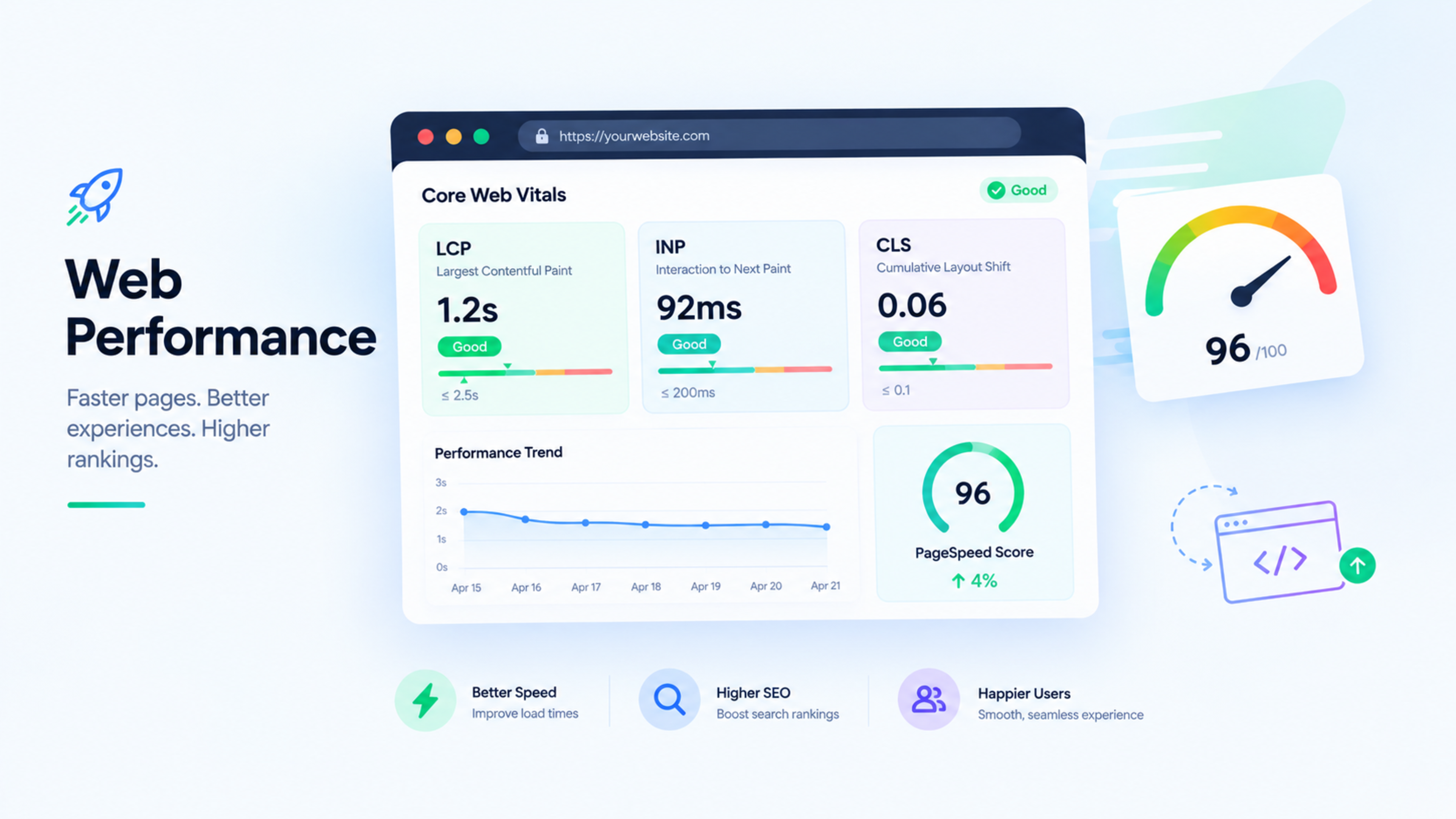
Core Web Vitals in 2026: How to Improve LCP, INP, and CLS
Core Web Vitals are Google’s key metrics for measuring real-world user experience. In 2026, improving LCP, INP, and CLS remains essential for faster websites, better rankings, higher conversions, and stronger visibility in AI-powered search.
This guide explains what each Core Web Vital measures, the score you should target, and the practical fixes that improve website performance. Use it as a repeatable checklist for business websites, ecommerce stores, and custom Next.js applications.
What are Core Web Vitals?
Core Web Vitals measure how users experience your website while it loads and interacts. They focus on three areas: loading speed, responsiveness, and visual stability.
The three current Core Web Vitals are:
LCP: Largest Contentful Paint
INP: Interaction to Next Paint
CLS: Cumulative Layout Shift
These metrics matter because slow, unresponsive, or unstable pages frustrate users and can reduce enquiries, sales, and organic performance.
Core Web Vitals targets for 2026
Metric | What it measures | Good score | Needs improvement |
|---|---|---|---|
LCP | Loading performance | 2.5 seconds or less | Above 4 seconds |
INP | Interaction responsiveness | 200 milliseconds or less | Above 500 milliseconds |
CLS | Visual stability | 0.1 or less | Above 0.25 |
Aim to meet the “good” threshold across mobile and desktop devices. Mobile users often experience slower networks and less powerful devices, so mobile performance should be a priority.
LCP: Largest Contentful Paint
What LCP measures
LCP measures how long the largest visible element takes to appear in the user’s viewport. This is often a hero image, banner, headline, video poster, or large background image.
A good LCP score is 2.5 seconds or less. If your main content takes too long to appear, users may leave before they see what your business offers.
How to improve LCP
Optimise your hero image
Compress large images, use WebP or AVIF where supported, and serve correctly sized images for each device.Use a content delivery network
A CDN stores your static assets closer to users, reducing load time for visitors in different regions.Reduce server response time
Improve hosting, caching, database queries, and backend response times. A slow server delays every element on the page.Preload important resources
Preload the hero image, critical fonts, and above-the-fold assets so browsers can download them earlier.Avoid render-blocking resources
Minimise critical CSS and defer non-essential JavaScript. Do not force users to wait for scripts they do not need immediately.Use lazy loading carefully
Lazy-load below-the-fold images and embeds, but never lazy-load the main LCP image. Doing so can delay the largest element and harm your score.
INP: Interaction to Next Paint
What INP measures
INP measures how quickly a page responds when a user interacts with it. This includes clicks, taps, keyboard input, menu opens, form interactions, and button presses.
A good INP score is 200 milliseconds or less. A page may load quickly but still feel slow if clicking a button, opening a menu, or submitting a form takes too long to respond.
How to improve INP
Reduce JavaScript execution time
Large JavaScript bundles can block the main thread and delay interaction responses. Remove unused code and split large bundles into smaller chunks.Limit heavy third-party scripts
Chat widgets, analytics tools, heatmaps, ads, and tracking scripts can slow down interactions. Audit them regularly and remove tools you do not actively use.Break up long tasks
Avoid forcing the browser to complete large tasks in one go. Break work into smaller tasks so the page can respond to user input sooner.Optimise event handlers
Keep click, scroll, and input handlers efficient. Avoid running expensive calculations immediately after user interaction.Use web workers for heavy processing
Move complex calculations or data processing away from the main thread so the interface remains responsive.Test real interactions
Do not only test page load. Click navigation menus, open forms, submit enquiries, filter products, and interact with dynamic components on real devices.
CLS: Cumulative Layout Shift
What CLS measures
CLS measures unexpected movement on a page while it loads. Common examples include buttons moving as ads load, text shifting when fonts load, or images pushing content down.
A good CLS score is 0.1 or less. Layout shifts are especially damaging for mobile users because they can cause accidental taps and poor user experience.
How to fix CLS
Set width and height for images
Always define image dimensions or use aspect-ratio CSS so the browser can reserve the correct space before the image loads.Reserve space for ads and embeds
Give ads, videos, maps, and social embeds fixed containers so they do not push content downward after loading.Avoid injecting content above existing content
Banners, cookie notices, and promotional messages should not push the main page content down unexpectedly.Load fonts carefully
Usefont-display: swap, preload important fonts, and choose fallback fonts with similar dimensions to reduce text movement.Avoid animations that cause layout shifts
Usetransformandopacityfor animations instead of changing properties that affect layout, such as width, height, or margin.Test dynamic content
Check pages with pop-ups, product filters, infinite scroll, reviews, and dynamically loaded sections. These often create hidden CLS problems.
Core Web Vitals checklist
Use this checklist during every performance audit:
Test Core Web Vitals with real-user data, not only lab tools.
Check both mobile and desktop performance.
Identify the LCP element on key landing pages.
Compress and correctly size all images.
Use a CDN and browser caching.
Reduce or delay non-critical JavaScript.
Audit third-party scripts and remove unused tools.
Set dimensions for images, videos, ads, and embeds.
Optimise fonts and prevent layout shifts.
Test forms, menus, buttons, and filters for INP issues.
Monitor performance after every new feature or redesign.
How to test Core Web Vitals
Use these tools to measure and diagnose performance issues:
Google Search Console: Review field data from real users.
PageSpeed Insights: View both lab data and real-world Core Web Vitals data.
Lighthouse: Run performance audits in Chrome DevTools.
Chrome UX Report: Analyse real-user experience data.
WebPageTest: Test performance across devices, locations, and network conditions.
Lab tools are useful for debugging, but real-user data is more important because it shows how actual visitors experience your website.
Core Web Vitals and SEO
Core Web Vitals are part of Google’s broader page experience signals. They may not outrank content quality, relevance, and authority on their own, but poor performance can weaken your ability to compete in competitive search results.
Fast, stable websites also improve conversion rates. A visitor is more likely to complete a contact form, request a quote, or purchase a product when the page loads quickly and responds immediately.
Core Web Vitals in Next.js
Next.js provides several built-in features that help improve Core Web Vitals:
Built-in image optimisation
Font optimisation
Code splitting
Server-side rendering and static generation
Efficient routing and prefetching
Better control over scripts and third-party loading
For content-heavy business pages, server-side rendering or static generation can help search engines and AI systems access important content quickly while improving perceived performance.
How Global IT Services can help
Global IT Services provides website performance optimisation, technical SEO, and custom Next.js development for businesses that need faster, more reliable websites.
If your website has poor LCP, slow interactions, layout shifts, or weak Core Web Vitals scores, a performance audit can identify the exact fixes needed to improve user experience and search visibility.
Frequently Asked Questions
What are Core Web Vitals?
Core Web Vitals are Google’s user-experience metrics that measure loading performance, interactivity, and visual stability. The three metrics are Largest Contentful Paint (LCP), Interaction to Next Paint (INP), and Cumulative Layout Shift (CLS).
What is a good Core Web Vitals score?
A good score is LCP of 2.5 seconds or less, INP of 200 milliseconds or less, and CLS of 0.1 or less. These thresholds should be met for at least 75% of page visits.
How do I improve LCP?
Improve LCP by compressing hero images, using a CDN, reducing server response time, preloading critical assets, and avoiding render-blocking JavaScript and CSS.
How do I improve INP?
Improve INP by reducing JavaScript execution time, limiting third-party scripts, breaking up long tasks, optimising event handlers, and testing real user interactions such as clicks, forms, and menus.
How do I fix CLS issues?
Fix CLS by setting image dimensions, reserving space for ads and embeds, avoiding content that pushes existing elements down, optimising fonts, and using stable animation techniques.
Feedback & Discussion
Have questions or insights? Share your thoughts below.