
EDV 2027 Nepal: How to Fill DV Lottery Form Online - Step-by-Step Guide
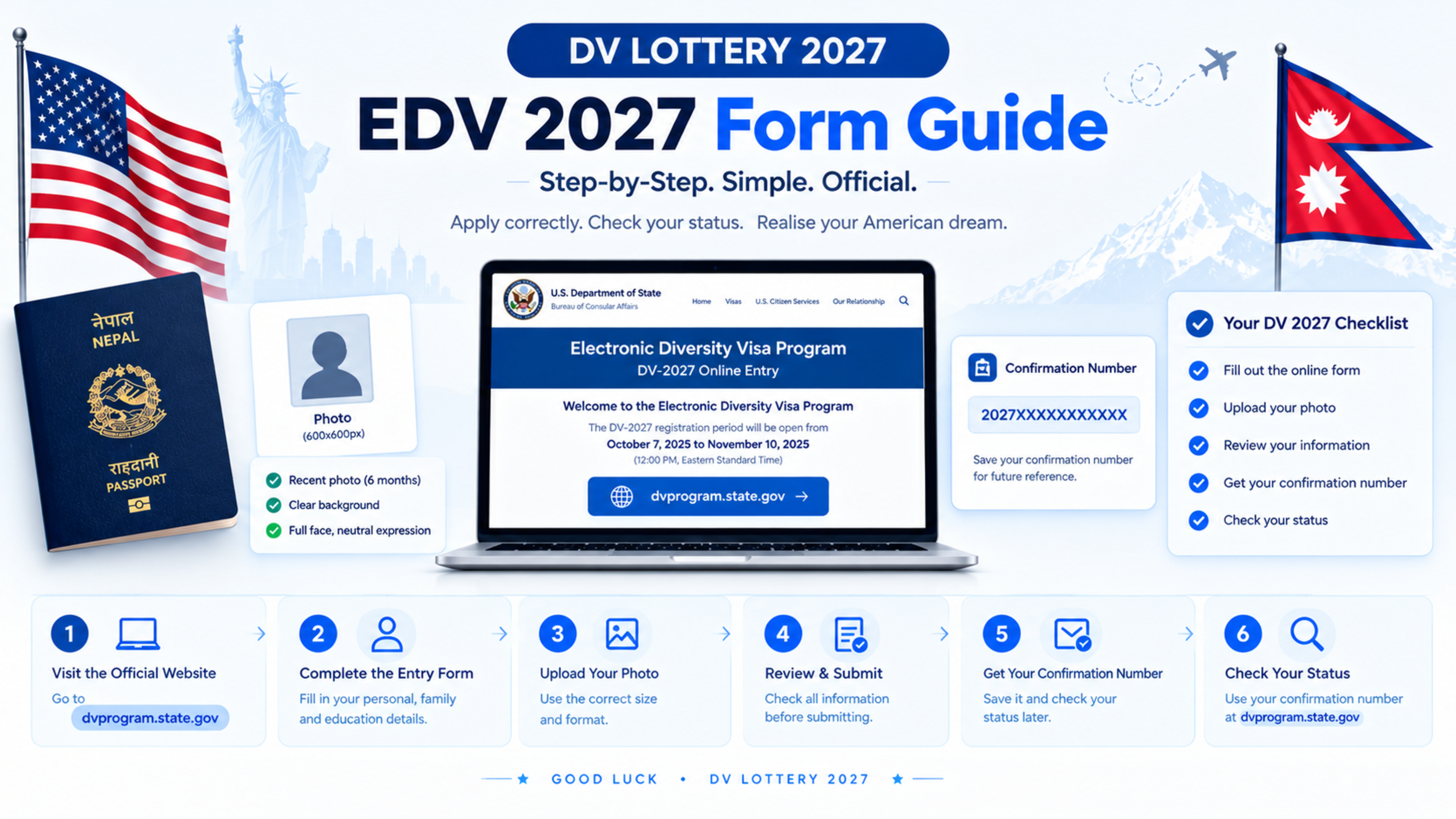
EDV 2027 Nepal: How to Fill DV Lottery Form Online — Step-by-Step Guide
To fill the EDV 2027 form from Nepal, apply only through the official US Department of State website, dvprogram.state.gov, during the official DV-2027 registration period. You will need a valid passport, recent digital photos, family details, and a US$1 online entry fee.
As of 30 October 2026, DV-2027 registration is not open. The Ninth Circuit Court of Appeals paused the order that would have required the State Department to open registration on 1 November 2026. Do not pay an agent or website claiming the form is already open.
EDV 2027 at a glance
Item | Requirement |
|---|---|
Official website |
|
Entry fee | US$1, paid online during registration |
Passport | Required for most applicants, including a scan of the biographic and signature page. |
Education | High school completion or equivalent, or two years of qualifying work experience. |
Photos | Recent colour photo for applicant, spouse, and unmarried children under 21. |
Family details | Spouse and all unmarried children under 21 must be included |
Confirmation number | Save it after submission; it is required to check results. |
Before you start
Prepare these before the DV-2027 entry period opens:
Valid, unexpired passport
Clear colour scan of the passport’s biographic and signature page
Recent digital photo for you
Recent digital photo for your spouse, if married
Recent digital photos for each unmarried child under 21
Exact names, dates of birth, and places of birth for family members
Email address you can access long term
International payment method for the US$1 fee
Education certificates or work-experience evidence for later use
The passport rule is new for DV-2027. The main applicant must provide passport details and upload a scan of the biographic and signature page.
Step 1: Check your eligibility
You may enter DV-2027 if you:
Were born in an eligible country, such as Nepal
Have at least a high school education or its equivalent
Or have two years of qualifying work experience within the past five years
For most Nepali applicants, high school education means successful completion of Class 12 or an equivalent qualification.
You do not upload education certificates during the EDV entry. However, if you are selected, you must provide proof of education or work experience during visa processing.
Step 2: Prepare your EDV photo
Every person included in the entry needs a separate recent digital photo.
Your photo must be:
In colour
Taken within the last six months
Against a plain white or light-coloured background
A full-face, front-facing photo
With a neutral expression
Without glasses
Without a head covering, unless worn for religious reasons
Without shadows on the face or background
In JPEG format
Square
At least 600×600 pixels
No larger than 240 KB
Do not edit, retouch, crop excessively, or use an old photo. Photo errors are one of the most common reasons EDV entries are rejected.
Step 3: Open the official website
When DV-2027 registration opens, go directly to:
https://dvprogram.state.gov/
Do not search for “EDV form” on Google and click a random website. Fake websites often copy the official design to collect personal information and payment.
The official US Department of State Diversity Visa page is available at travel.state.gov, while the entry form is submitted through dvprogram.state.gov.
Step 4: Start a new entry
On the official site, choose the option to begin a new entry.
You will need to provide:
Your full name as shown in your passport
Gender
Date of birth
City where you were born
Country of birth
Country of eligibility
Mailing address
Country where you live today
Email address
Highest level of education
Marital status
Number of children
Use the exact spelling shown in your passport. Do not use nicknames, shortened names, or different spellings.
Step 5: Enter your passport details
For DV-2027, the main applicant must enter passport details and upload a scan of the passport’s biographic and signature page.
Enter:
Passport number
Country that issued the passport
Passport expiration date
Make sure your passport is valid and not close to expiry. If your passport expires soon, renew it before applying.
Step 6: Add your spouse
If you are legally married, you must include your spouse in the entry, even if your spouse will not move to the United States.
You will need your spouse’s:
Full name
Date of birth
Gender
City and country of birth
Recent digital photo
Passport details, where required
If your spouse is a US citizen or US lawful permanent resident, they do not need to be included in the entry.
Step 7: Add your children
Include all unmarried children under 21, including:
Biological children
Legally adopted children
Stepchildren, if they meet the legal definition under the Immigration and Nationality Act
You must include each qualifying child even if they do not intend to travel with you.
For each child, provide:
Full name
Date of birth
Gender
City and country of birth
Recent digital photo
Passport details, where required
Do not include married children or children aged 21 or older as dependants.
Step 8: Review every detail
Before submitting, check:
Name spelling matches your passport
Date of birth is correct
Place of birth is correct
Passport number is correct
Passport expiry date is correct
Email address is correct
Family members are correctly included
Photos meet official requirements
Education level is accurate
A small spelling mistake can create problems later. If you submit incorrect information, you may not be able to correct it after the entry is submitted.
Step 9: Pay the US$1 entry fee
DV-2027 requires a US$1 entry fee, paid online during registration.
This is not a visa fee. If you are selected later and continue with the visa process, you will pay a separate US$330 immigrant visa application fee.
Use a secure internet connection and a payment method you control. Do not give your card details to an agent.
Step 10: Submit the form
After checking everything, submit the entry.
Once submitted, you will see a confirmation page. Save or print it immediately.
The confirmation page contains your confirmation number, which you must keep safe because it is required to check your DV result later.
Save:
Confirmation number
Full name used in the entry
Year of birth
Email address used
Do not rely on an agent to keep your confirmation number. If you lose it, you may not be able to check your result.
Step 11: Keep your documents safe
Keep digital and printed copies of:
Confirmation page
Passport
Photos used
Payment receipt
Family details
Education certificates
Work-experience documents
Do not share your confirmation number publicly. Scammers can use it to check your result or mislead you.
Common EDV form mistakes
Avoid these mistakes:
Using an expired passport
Uploading an old or edited photo
Using a photo with a dark background or shadows
Misspelling your name
Entering the wrong date of birth
Forgetting to include a spouse
Forgetting to include an unmarried child under 21
Using a fake or unofficial website
Losing the confirmation number
Paying someone who promises guaranteed selection
EDV 2027 timeline
Stage | Status |
|---|---|
Registration opens | Not yet announced |
Registration closes | Not yet announced |
Result check | Not yet announced |
Visa interviews | After selection, subject to embassy scheduling |
US$1 entry fee | Required during registration |
US$330 visa fee | Required only if selected and proceeding with the visa process. |
What to do while waiting
While waiting for the official DV-2027 opening:
Renew your passport if needed
Prepare recent photos for yourself and eligible family members
Collect education or work-experience documents
Keep your family details ready
Follow only official US government sources
Avoid fake agents and unofficial websites
Save the official website link
The official entry site is:
https://dvprogram.state.gov/
Frequently Asked Questions
Is EDV 2027 form open in Nepal?
No. As of 30 October 2026, DV-2027 registration is not open. The official E-DV website says entries are not being accepted.
How much does EDV 2027 cost?
The official entry fee is US$1, paid online during registration. Selected applicants who proceed with the visa process pay a separate US$330 visa application fee.
Do I need a passport for EDV 2027?
Yes. Most applicants must provide a valid, unexpired passport and upload a scan of the biographic and signature page.
Can I apply without Class 12?
You may still qualify if you have two years of qualifying work experience within the past five years. Otherwise, you generally need high school education or an equivalent qualification.
Do I need to include my spouse?
Yes, if you are legally married and your spouse is not a US citizen or US lawful permanent resident. You must include them even if they will not travel with you.
Do I need to include my children?
Yes. Include all unmarried children under 21, including biological, legally adopted, and qualifying stepchildren.
Can I edit my EDV form after submission?
No. Once submitted, you generally cannot edit the entry. Check every detail carefully before submitting.
How do I check my EDV 2027 result?
Use the Entrant Status Check on dvprogram.state.gov with your confirmation number, surname, and year of birth. Results are not sent by email or phone.
Feedback & Discussion
Have questions or insights? Share your thoughts below.